Projects / 02
Commentarr.
Shared, timestamped comments for Jellyfin. Watch something on your own server and see what everyone else said at that exact moment.
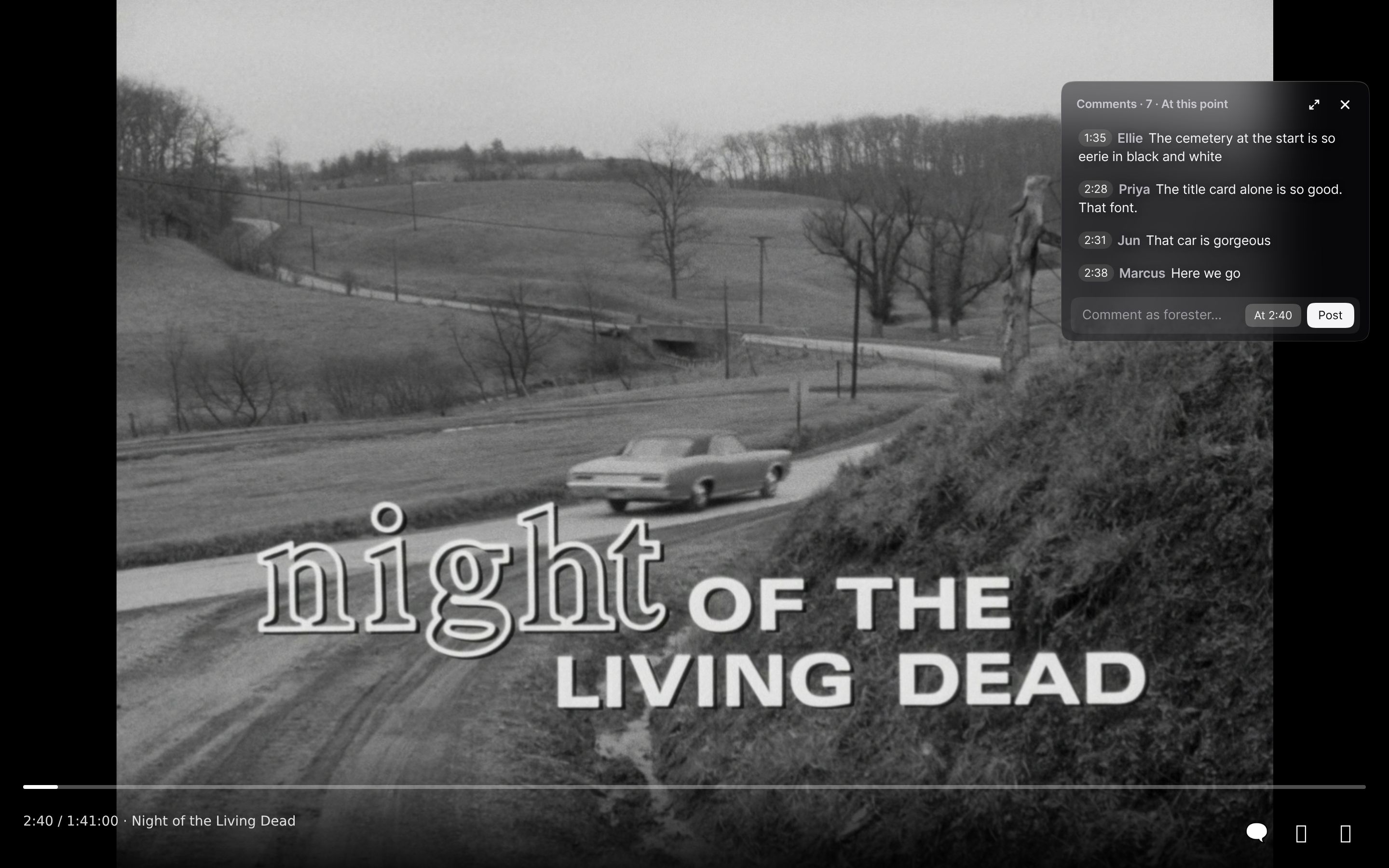
Every comment has a moment.
Write something while you watch and it is pinned to that second. Everyone who watches later, on any server, sees it when they reach the same point: the jump scare at 18:25, the cameo at 1:02:10, the line everyone quotes.
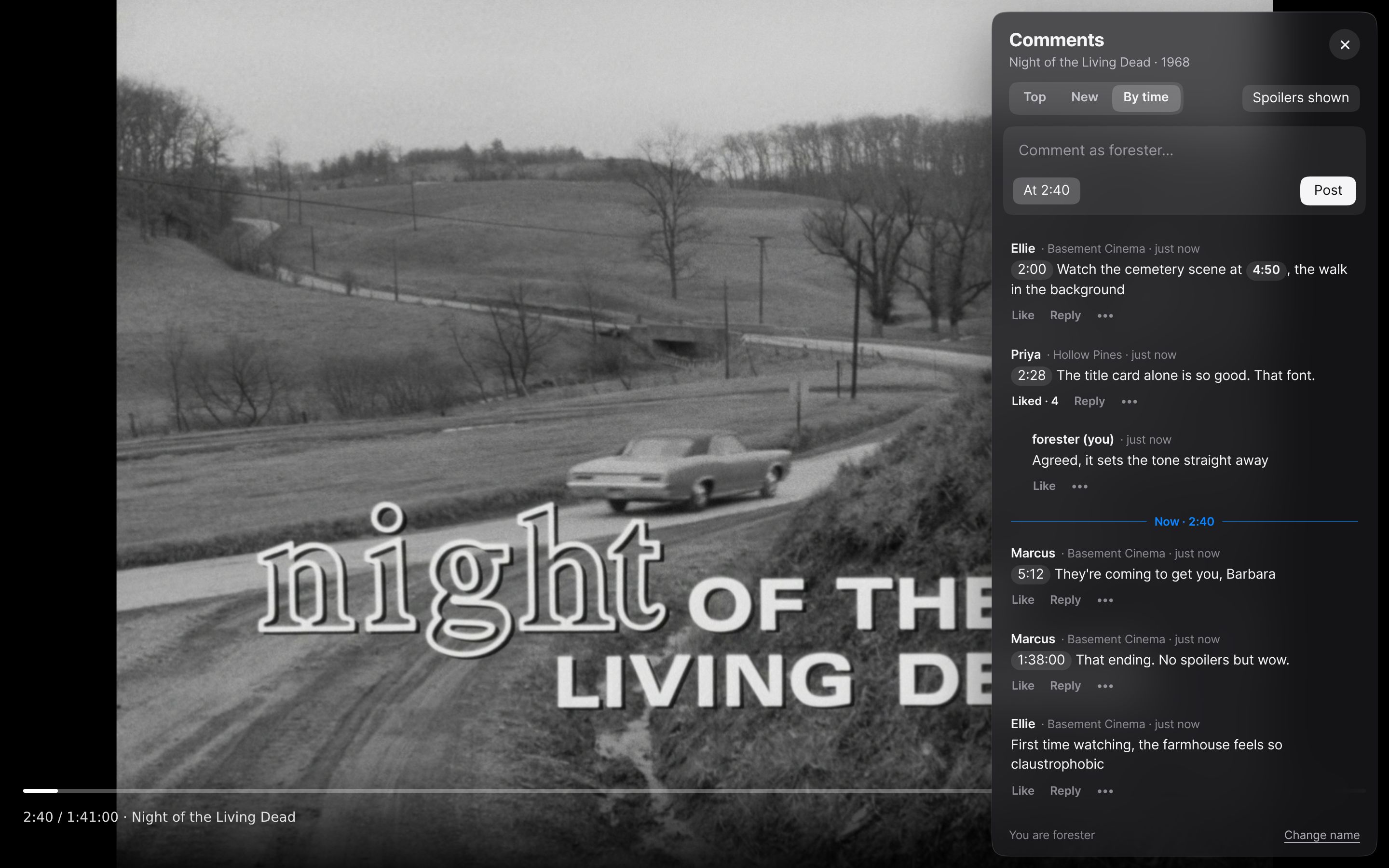
Open the sidebar for the whole conversation. Sort it by what people liked, what is new, or by time, with a line that follows where you are. Tap any timestamp to jump there.
It works on the title, not the file. A 4K remux and a 720p web copy of the same episode share one thread, matched by their TMDB, TVDB and IMDb ids.
Install it in a minute.
-
Add the plugin repository
In Jellyfin, open Dashboard, Plugins, Repositories and add:
https://raw.githubusercontent.com/tuikat/commentarr/main/manifest.json -
Install Commentarr
Find it in the Catalog, install it and restart Jellyfin. It connects to the shared comment server by itself.
-
Play anything
A comments button appears in the player controls, next to fullscreen. Choose Overlay, Sidebar or Off. People comment under their Jellyfin name and can change it.
Needs Jellyfin 10.11 and works in the web player and apps built on it (desktop, Android, Android TV). Native apps that draw their own player, such as Swiftfin, do not show it.
What it does
- Overlay
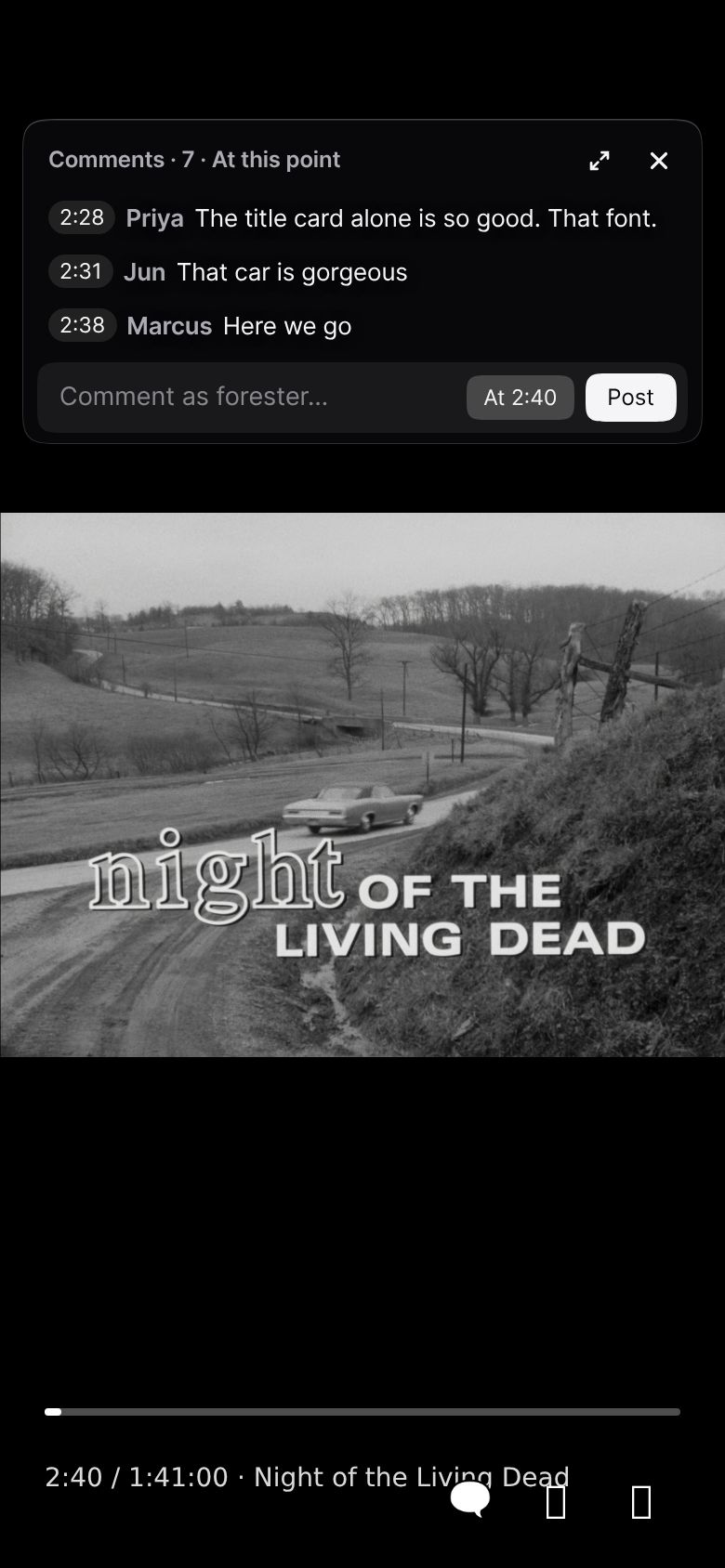
- A small, always-on panel with the four latest moments you have passed, sliding in as you reach them, like a live chat replay.
- Sidebar
- Every comment beside the video. Top, New, or By time with a line that follows playback.
- Pinned moments
- On by default mid-film, off at the start and in the credits, where comments are about the whole thing. One tap to change.
- Spoiler mode
- Off by default. Turn it on and comments pinned ahead of you stay blurred until you get there.
- Live
- New comments arrive while you watch, without reloading.
- Different cuts
- Comments remember the length of the file they were written on and say so when your copy differs.
- Moderation
- Reports, automatic hiding, and tools for every Jellyfin admin: hide comments for their viewers, ban their users, set banned words.
- No accounts
- Your server vouches for you. We store a hashed id, a display name and your comments. Nothing about your library.
A comment section is only as good as the people in it.
Commentarr is free, and the more people use it the better every film and episode gets. Three ways to help:
- Comment on what you watch. Every comment you leave is waiting for the next person who reaches that moment.
- Tell other Jellyfin people. Your friends' servers, your Discord, the Jellyfin community. Share this page.
- Help build it. Report bugs, try the experimental Plex script, send fixes or translations on GitHub.
Plex, and your own server.
Plex. Plex has no plugin system for its web player, so there is a userscript for Tampermonkey or Violentmonkey that joins the same comments. It is experimental and untested: Jellyfin is the supported platform. How to try it.
A private comment server. Everyone shares comments.forester.dev by default, which is where the conversation is. If a group of friends wants a space of its own, the server is open source too: one container, no database to set up. commentarr-server on GitHub.
The fine print.
Comments are public to everyone on every connected server. Using Commentarr means agreeing to the Terms; what is stored and for how long is in the Privacy Policy. Report a comment from its menu in the player.
Commentarr is open source under the AGPL-3.0 and is not affiliated with Jellyfin, Plex, TMDB, TVDB or IMDb. Film frame: Night of the Living Dead (1968), public domain, via Wikimedia Commons. Comments in the pictures are examples.